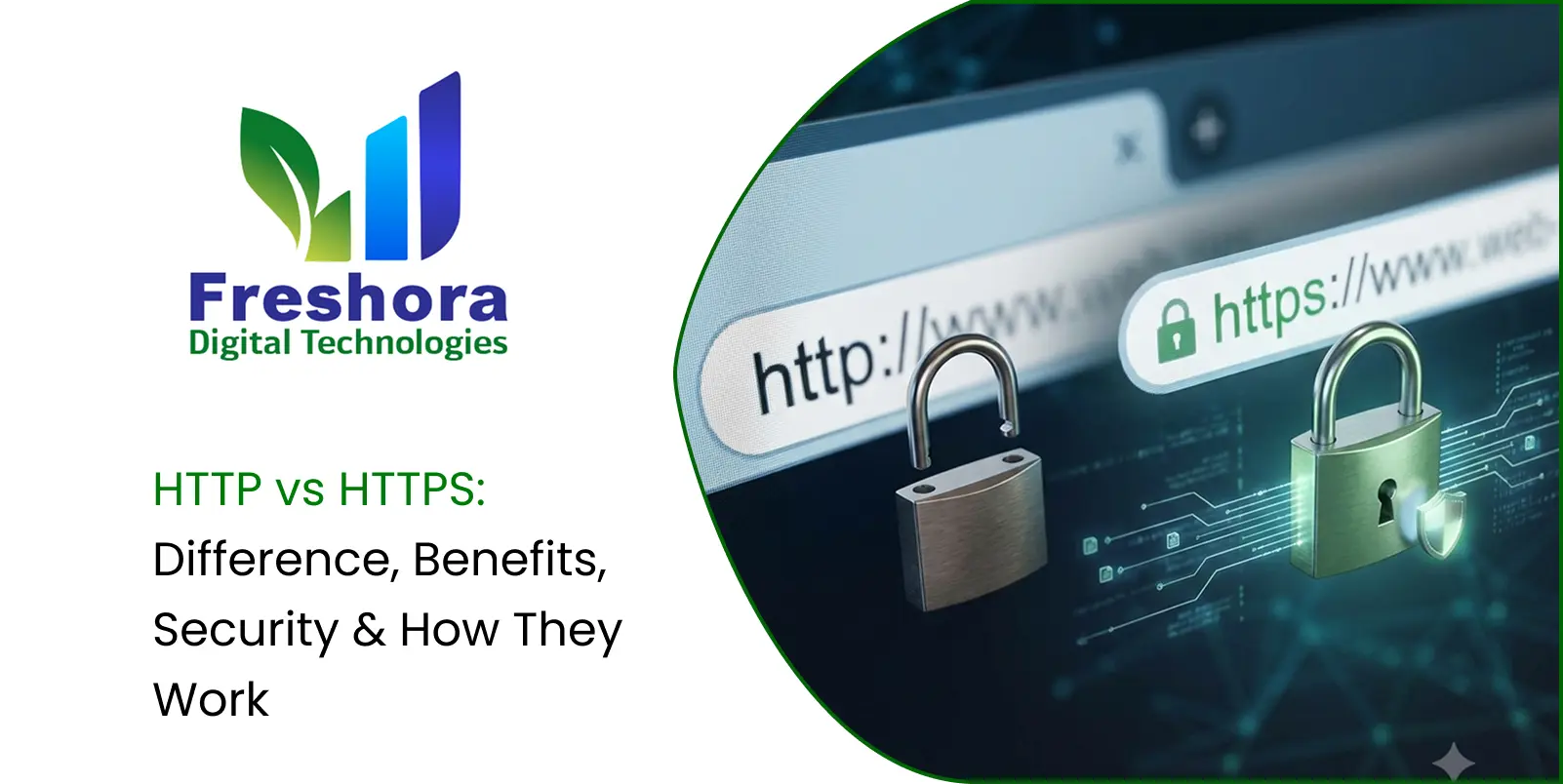

Blog Summary
HTTP and HTTPS are protocols used for communication between web browsers and servers, but they do not provide the same level of protection. HTTP sends web traffic without the TLS-based encryption and authentication protections provided by HTTPS, while HTTPS uses HTTP over a secure TLS connection.
This difference matters because information exchanged between a browser and website can include login credentials, personal information, payment-related data and other sensitive content. HTTP vs HTTPS is therefore not simply a difference of one letter in a website address; it represents an important difference in how web communication is protected.
This guide explains the HTTP and HTTPS full forms, how each protocol works, the role of TLS certificates, encryption, authentication, data integrity, practical security benefits, common differences and what website owners should understand when moving from HTTP to HTTPS.
Introduction
When you type a website address into a browser, your browser needs a way to communicate with the website's server.
That communication happens through web protocols.
Two terms commonly encountered are:
HTTP
and
HTTPS
At first glance, HTTPS may appear to be nothing more than HTTP with an additional S. Technically, the difference is much more significant.
HTTPS uses HTTP over a connection protected by TLS (Transport Layer Security). This protection helps provide:
- Encryption
- Authentication
- Data integrity
These protections matter whenever information travels between a user's browser and a website.
For example, consider a customer logging into an account. The communication may contain:
Username → Password → Server
An online purchase may involve:
Product → Cart → Customer Details → Payment Process
Protecting these communications helps prevent attackers from reading or manipulating traffic in transit.
Understanding HTTP vs HTTPS is therefore useful for website owners, developers, marketers and everyday internet users.
Quick Answer
HTTP stands for Hypertext Transfer Protocol.
HTTPS stands for Hypertext Transfer Protocol Secure.
The main difference between HTTP and HTTPS is that HTTPS uses HTTP over a TLS-protected connection, helping provide encryption, authentication and data integrity.
| Feature | HTTP | HTTPS |
|---|---|---|
| Full form | Hypertext Transfer Protocol | Hypertext Transfer Protocol Secure |
| TLS protection | No | Yes |
| Encryption in transit | No | Yes |
| Server authentication | No TLS-based authentication | Yes, through TLS certificates |
| Data integrity protection | No TLS integrity protection | Yes |
| Typical URL | http:// |
https:// |
| Default port | 80 | 443 |
| Suitable for sensitive communication | Not appropriate | Appropriate when correctly configured |
HTTPS does not make a website automatically safe in every respect. It protects the communication between the browser and server, but it does not guarantee that the website itself is trustworthy, free from malware or secure against every type of attack.
What Is HTTP?
HTTP means Hypertext Transfer Protocol.
It is an application-layer protocol used for communication between clients, such as web browsers, and servers.
A simplified interaction looks like:
Browser → HTTP Request → Web Server
Then:
Web Server → HTTP Response → Browser
An HTTP request may ask for:
- A webpage
- An image
- A stylesheet
- JavaScript
- Data from an API
The server responds with the requested resource or an appropriate status.
HTTP defines how these requests and responses are structured and exchanged. However, HTTP itself does not provide TLS encryption.
Therefore, data transmitted through ordinary HTTP can potentially be observed or modified by an attacker who can intercept the communication path.
How HTTP Works
A simplified HTTP communication process looks like this:
Client
↓
HTTP Request
↓
Server
↓
HTTP Response
↓
Client
For example, when a browser requests a webpage, it sends an HTTP request to the server. The server processes the request and returns the requested content.
The important point is that ordinary HTTP does not create a cryptographically protected communication channel.
What Is HTTPS?
HTTPS means Hypertext Transfer Protocol Secure.
More precisely, HTTPS is HTTP carried over a connection protected by TLS (Transport Layer Security).
A simplified model is:
Browser → TLS-Protected Connection → Web Server
HTTP still handles the application-level communication, while TLS provides the security layer around that communication.
Therefore, as a simplified model:
HTTPS = HTTP + TLS protection
HTTPS is designed to help protect information while it travels between the browser and server.
How HTTPS Works
HTTPS introduces TLS around the HTTP communication.
A simplified sequence is:
Browser
↓
TLS Handshake
↓
Secure Session Established
↓
HTTP Request/Response Through TLS
The TLS handshake allows the client and server to establish cryptographic parameters and authenticate the server through its certificate chain.
Once the secure connection has been established, HTTP messages can travel through that protected connection.
The exact process depends on the TLS version and configuration, but the basic concept remains the same: HTTP provides the web communication, while TLS provides the security protections around it.
What Is TLS?
TLS stands for Transport Layer Security.
TLS is a cryptographic protocol designed to provide secure communication over networks.
It helps provide three important properties:
Confidentiality
Information is encrypted so that an unauthorised observer should not be able to read the transmitted data.
Integrity
The connection provides protection against undetected modification of data while it is being transmitted.
Authentication
TLS certificates help a browser verify the identity associated with the server it is connecting to, subject to certificate validation and the relevant trust model.
HTTP vs HTTPS: Key Differences
The easiest way to understand the difference between HTTP and HTTPS is to focus on how the communication is protected.
HTTP communicates without TLS protection.
HTTPS communicates using HTTP over TLS.
Think of ordinary HTTP as communication without a cryptographically protected channel.
HTTPS creates a protected communication channel between the browser and server.
This does not mean HTTPS hides every piece of information about an internet connection. Network-level metadata can still reveal information such as destination-related details, timing or traffic volume.
The important difference is that HTTPS protects the contents of the HTTP communication from being read or modified in transit by typical network attackers.
How HTTPS Protects Web Communication
HTTPS provides several important security properties through TLS.
Encryption
One of the main benefits of HTTPS is encryption in transit.
Suppose a user submits:
Name + Email + Password
over an appropriately secured HTTPS connection.
The data transmitted through the TLS connection is protected cryptographically. An attacker intercepting the network traffic should not simply be able to read the plaintext contents.
This is particularly important when users connect through networks that cannot be fully trusted.
Data Integrity
Encryption is not the only benefit.
TLS also helps protect against undetected modification of data in transit.
Imagine a webpage being transferred from a server to a browser. An attacker attempting to alter the protected data should not be able to do so without the modification being detected by the cryptographic protections of the connection.
This is known as integrity protection.
Server Authentication
HTTPS certificates help the browser establish the identity of the server according to the certificate and trust infrastructure.
This helps reduce the risk of certain impersonation attacks.
However, there is an important limitation:
HTTPS confirms the authenticated domain connection; it does not guarantee that the organisation behind the domain is trustworthy.
A website can have a valid certificate for a domain while still containing misleading, malicious or untrustworthy content.
What Is an SSL/TLS Certificate?
People commonly use the term SSL certificate when referring to certificates used for HTTPS.
However, modern HTTPS uses TLS, not the obsolete SSL protocols.
A certificate helps authenticate the server's identity within the public-key infrastructure used by TLS.
A certificate can contain information such as:
- Domain names
- Public key
- Certificate authority information
- Validity period
- Digital signature
The browser uses this information as part of certificate validation.
What Is a Certificate Authority?
A Certificate Authority (CA) is an entity trusted to issue digital certificates according to established validation processes.
When a browser connects to an HTTPS website, it can validate the certificate chain against trusted certificate authorities.
This helps answer:
"Can I establish that this certificate was issued within a trusted certificate system for this domain?"
It does not answer:
"Is this business honest?"
That distinction is important.
HTTPS authenticates the website's connection identity within the certificate system. It does not certify the business's reputation.
HTTP vs HTTPS Security
HTTPS is particularly important when a website handles information that should not be exposed or modified while travelling across a network.
Passwords and Login Pages
Passwords are highly sensitive.
Sending credentials through ordinary HTTP exposes them to network interception.
HTTPS protects the transmission channel so that login communication travels through a TLS-protected connection.
However, HTTPS does not replace secure application-level password handling.
A secure application should also use appropriate:
- Password hashing
- Authentication controls
- Session management
- Access controls
- Rate limiting
HTTPS protects data in transit. It does not automatically protect every stage of the data lifecycle.
Business Forms
Business websites frequently collect:
- Names
- Phone numbers
- Email addresses
- Project details
- Enquiry information
HTTPS helps protect these submissions while travelling between the browser and server.
Businesses should still secure the information after it reaches the server.
E-Commerce
Online stores may handle:
- Customer information
- Addresses
- Account credentials
- Cart information
- Payment-related interactions
HTTPS helps protect communication between the customer's browser and the website.
Payment processing may also involve external payment providers, each with their own security responsibilities.
HTTPS is necessary for secure web communication, but it does not by itself make an e-commerce system compliant with every security requirement.
APIs
Modern websites frequently communicate with APIs.
For example:
Website → CRM
Website → Payment Gateway
Website → Mobile Application
Website → Internal System
HTTPS can help protect API communication in transit.
APIs also need their own authentication, authorisation, input-validation and application-level security controls.
What HTTPS Does Not Protect
One of the most important concepts to understand is that HTTPS does not make a website completely secure.
A browser showing a secure connection indicator does not mean:
"Everything about this website is safe."
HTTPS does not automatically prevent:
- Weak passwords
- Vulnerable plugins
- SQL injection
- Cross-site scripting
- Malware
- Phishing
- Poor access control
- Insecure server configuration
- Vulnerable application code
HTTPS primarily protects communication between the browser and server.
Overall website security requires multiple layers.
Secure Connection vs Website Trust
Users should distinguish between:
Secure connection
and
Business trustworthiness
HTTPS can show that the browser has established a TLS-protected connection and that the domain has passed certificate validation.
It does not prove that the business is legitimate, reputable or free from malicious content.
Trust also depends on:
- Accurate business information
- Clear policies
- Reputation
- Transparent communication
- Good website practices
HTTPS is one part of that overall experience.
HTTPS and Modern Websites
HTTPS and SEO
HTTPS is relevant to modern website infrastructure and has been used by Google as a ranking signal.
However, switching from HTTP to HTTPS should not be presented as a guaranteed ranking boost.
Search performance depends on many factors.
Businesses should treat HTTPS primarily as a security and technical requirement while handling the migration correctly for search.
HTTPS and Browser Warnings
Modern browsers may warn users when they enter information on pages that are not securely connected.
Browser behaviour can vary according to the page and browser version.
A website that remains on HTTP can therefore create additional user friction.
HTTPS provides a more appropriate foundation for modern web experiences.
HTTP/2 and HTTP/3 Are Not Alternatives to HTTPS
HTTP/2 and HTTP/3 are newer versions of HTTP.
HTTPS describes HTTP communication protected with TLS.
Therefore, these concepts are not direct opposites.
A simplified comparison is:
HTTP/1.1, HTTP/2, HTTP/3
are versions of the HTTP protocol.
HTTPS
describes secure HTTP communication using TLS.
HTTP/3 uses QUIC as its transport protocol, with TLS 1.3 integrated into QUIC.
Default Ports: 80 vs 443
Traditionally:
HTTP → Port 80
HTTPS → Port 443
These are default ports, not absolute requirements.
A server can technically be configured differently.
The important distinction is the protocol and security configuration rather than the number alone.
HTTP URLs vs HTTPS URLs
HTTP:
http://example.comHTTPS:
https://example.comThe s indicates that the connection is intended to use TLS.
A valid HTTPS website should have an appropriately configured certificate and TLS setup.
HSTS
HTTP Strict Transport Security (HSTS) is a web security mechanism that tells compatible browsers to use HTTPS for a domain rather than attempting ordinary HTTP connections.
HSTS can help reduce certain downgrade and protocol-stripping risks.
It should be deployed carefully with appropriate domain and subdomain planning.
Mixed Content
Mixed content occurs when an HTTPS page loads certain resources over HTTP.
For example:
HTTPS Page → HTTP Image
or:
HTTPS Page → HTTP Script
This can weaken the security of the page, and browsers may block some mixed-content resources, especially active content.
Websites should aim to load appropriate resources securely over HTTPS.
HTTPS Certificates and Website Maintenance
Certificates have validity periods.
Website owners therefore need to ensure certificates are:
- Valid
- Properly installed
- Correctly configured
- Renewed before expiry
Automated certificate issuance and renewal can reduce manual work when appropriately configured.
HTTPS and Subdomains
HTTPS configuration applies to domains and subdomains according to the certificate and server configuration.
For example:
www.example.comshop.example.comapp.example.com
may require appropriate certificate coverage and server configuration.
Businesses should consider all relevant hostnames when deploying HTTPS.
HTTP to HTTPS Migration
Moving from HTTP to HTTPS is more than installing a certificate.
A proper migration can involve:
- Installing the certificate
- Configuring the web server
- Redirecting HTTP URLs
- Updating internal links
- Updating canonical URLs
- Checking sitemap URLs
- Reviewing analytics
- Testing forms
- Checking third-party resources
- Monitoring errors
For larger websites, the migration should be planned and tested carefully.
HTTP-to-HTTPS Redirects
Many websites configure HTTP requests to redirect to HTTPS.
For example:
http://example.com↓
https://example.comThis helps ensure visitors reach the secure version.
However, the initial HTTP request itself is not protected, so the HTTP endpoint still needs appropriate configuration.
Migration Checklist
1. Audit the Existing Website
Identify:
HTTP URLs + HTTPS URLs + Subdomains + APIs + External Resources
2. Obtain and Configure the Certificate
Install an appropriate TLS certificate and configure the server correctly.
3. Test HTTPS Before Full Migration
Test important pages and functionality before applying the migration across the entire website.
4. Implement Redirects
Redirect relevant HTTP URLs to their corresponding HTTPS versions.
5. Update Internal References
Review and update appropriate:
- Links
- Images
- Scripts
- CSS
- Canonicals
- Sitemaps
6. Resolve Mixed Content
Find and correct resources still being loaded over HTTP.
7. Test Business-Critical Functions
Test:
Forms → Notifications
Login → Account
Cart → Checkout
Website → API
8. Review HSTS
Consider HSTS only after the HTTPS implementation is stable and the domain/subdomain strategy is understood.
9. Verify Search Configuration
Check:
- Redirects
- Canonical URLs
- Sitemaps
- Indexing
- Important URLs
10. Monitor After Migration
Look for:
- Certificate errors
- Redirect problems
- Broken resources
- Traffic anomalies
- Search indexing issues
- Form failures
Practical Examples
Scenario 1: Business Enquiry Form
A customer enters:
Name + Email + Phone + Project Details
on a website.
With HTTPS, the communication between the browser and server is protected by TLS.
The business still needs to protect the information after it reaches the server.
Lesson
HTTPS protects transmission; it does not secure the entire data lifecycle.
Scenario 2: Customer Login
A customer logs into an account.
With ordinary HTTP, credentials can be exposed to network interception.
With HTTPS, the login communication travels through a TLS-protected connection.
Lesson
HTTPS is essential for protecting credentials in transit.
Scenario 3: E-Commerce Checkout
A customer proceeds through:
Product → Cart → Checkout → Payment
HTTPS helps protect the website's communication with the browser.
The payment provider and the business also have separate security responsibilities.
Lesson
HTTPS is necessary but not sufficient for complete e-commerce security.
Scenario 4: HTTP Website Migration
A company changes:
http://example.comto:
https://example.comRequired Work
- Certificate installation
- HTTPS server configuration
- Redirects
- Internal link updates
- Canonical review
- Sitemap review
- Testing
Lesson
A secure migration requires technical and SEO checks.
Scenario 5: HTTPS Page With an HTTP Script
A website loads:
HTTPS Page → HTTP JavaScript
This creates mixed-content risk.
Improvement
Serve the resource securely over HTTPS or replace the resource with an appropriate secure alternative.
Lesson
The security of a page depends on how its resources are loaded, not only the URL shown in the address bar.
Common HTTPS Mistakes
1. Thinking HTTPS Means the Website Is Completely Secure
HTTPS protects the connection, not every part of the application.
2. Installing a Certificate and Stopping There
Certificate installation is only one part of an HTTPS implementation.
Configuration, redirects and testing are also important.
3. Allowing Mixed Content
HTTP resources on HTTPS pages can create security problems.
4. Forgetting Subdomains
Relevant subdomains must be covered appropriately.
5. Ignoring Certificate Renewal
An expired certificate can cause browser warnings and service disruption.
6. Using Outdated TLS Configurations
Security configurations should be reviewed and maintained.
7. Forgetting SEO Configuration
Canonical URLs, redirects and sitemaps should be reviewed during an HTTP-to-HTTPS migration.
8. Not Testing Important Functions
Forms, logins, checkout systems, APIs and third-party integrations should be tested after migration.
HTTPS Security Checklist
HTTPS Configuration
- Valid TLS certificate installed
- Correct domains covered
- Certificate chain configured
- TLS configuration reviewed
- Renewal process established
Website Migration
- HTTP redirects implemented
- Internal links updated
- Canonical URLs reviewed
- Sitemap URLs updated
- HTTPS versions tested
Security
- Login pages use HTTPS
- Forms use HTTPS
- API communication uses HTTPS
- Mixed content checked
- HSTS evaluated where appropriate
Functionality
- Contact forms tested
- Login tested
- Checkout tested
- API integrations tested
- Third-party services tested
Search
- HTTPS URLs are canonical where appropriate
- Redirects tested
- Sitemap reviewed
- Indexing monitored
- Important URLs checked
Monitoring
- Certificate expiry monitored
- Redirect errors monitored
- Browser/security errors monitored
- Website functionality monitored
- Search performance monitored
Measuring HTTPS Implementation
HTTPS success should be measured through technical reliability and security outcomes rather than simply checking whether a secure connection indicator appears.
Certificate Health
Monitor:
- Certificate validity
- Expiry dates
- Renewal success
- Certificate-chain issues
HTTPS Coverage
Check whether important website resources and endpoints consistently use HTTPS.
Mixed Content
Track and eliminate inappropriate HTTP resources on HTTPS pages.
Redirect Health
Monitor:
- HTTP → HTTPS redirects
- Redirect chains
- Redirect loops
- Broken destinations
Business Functionality
Confirm successful operation of:
- Forms
- Logins
- Checkout
- Bookings
- APIs
Search Health
After migration, monitor:
- Indexing
- Canonicalisation
- Crawl errors
- Redirect errors
- Organic traffic
A properly implemented HTTPS migration should not be treated as a guaranteed SEO-growth tactic.
When Professional Help May Be Useful
Professional web-development or security assistance can be useful when:
- The website contains many URLs
- Multiple subdomains are involved
- E-commerce is present
- Customer accounts are used
- APIs are integrated
- Multiple servers are involved
- The website is migrating from HTTP to HTTPS
- Mixed-content problems are extensive
- TLS configuration is unclear
- Certificate renewal has failed
- Search indexing is affected after migration
Large or complex websites can have dependencies that are easy to miss during a simple certificate installation.
Professional support can help audit:
Architecture → TLS → Redirects → Resources → APIs → Search → Business Functions
The goal should be a properly implemented secure connection rather than simply displaying an HTTPS URL.
Key Takeaways
- HTTP stands for Hypertext Transfer Protocol.
- HTTPS stands for Hypertext Transfer Protocol Secure.
- HTTPS is HTTP communicated through a TLS-protected connection.
- The main HTTP vs HTTPS difference is the addition of TLS-based confidentiality, integrity and authentication protections.
- HTTP does not encrypt ordinary web traffic.
- HTTPS encrypts data transmitted through the TLS connection.
- TLS certificates help authenticate the server within a trusted certificate infrastructure.
- HTTPS does not prove that a website or business is trustworthy.
- HTTPS does not make an entire website automatically secure.
- Website application security requires additional controls beyond TLS.
- HTTPS is particularly important for login, forms, customer accounts, e-commerce and APIs.
- HTTP commonly uses port 80, while HTTPS commonly uses port 443.
- HTTP/2 and HTTP/3 are versions of HTTP and should not be confused with HTTPS.
- HSTS can help enforce HTTPS connections when appropriately configured.
- Mixed content can weaken the security of an HTTPS page.
- Certificates need ongoing renewal and monitoring.
- HTTPS protects data in transit; it does not automatically protect stored data.
- Moving from HTTP to HTTPS requires redirects, URL reviews, resource checks and testing.
- HTTPS can support modern website security and user experience, but it does not guarantee better rankings or conversions.
- The safest approach is to treat HTTPS as one layer within a broader website security strategy.
Conclusion
The HTTP vs HTTPS difference is fundamentally about how web communication is protected.
HTTP provides the mechanism for transferring information between a client and server.
HTTPS takes that communication and places it inside a TLS-protected connection.
That adds three important security properties:
Confidentiality
Integrity
Authentication
This is why HTTPS has become the standard approach for modern websites.
But understanding HTTPS correctly also means understanding its limits.
HTTPS does not guarantee that a website is legitimate.
It does not eliminate application vulnerabilities.
It does not protect data after it has been stored.
It does not replace secure authentication, access control, software updates or other security practices.
Instead, it provides a critical layer of protection for information travelling between the browser and server.
For businesses, the practical approach is straightforward:
Use HTTPS → Configure TLS correctly → Redirect HTTP → Eliminate mixed content → Monitor certificates → Test critical functions → Maintain the wider security system
Whether the website is a simple business site, an e-commerce platform, customer portal or API-driven application, secure communication should be treated as part of the website's technical foundation.
Understanding HTTP and HTTPS explained in these terms makes the difference much clearer:
HTTP defines the web communication.
HTTPS protects that communication with TLS.
And that distinction is one of the fundamental concepts behind secure modern web development.