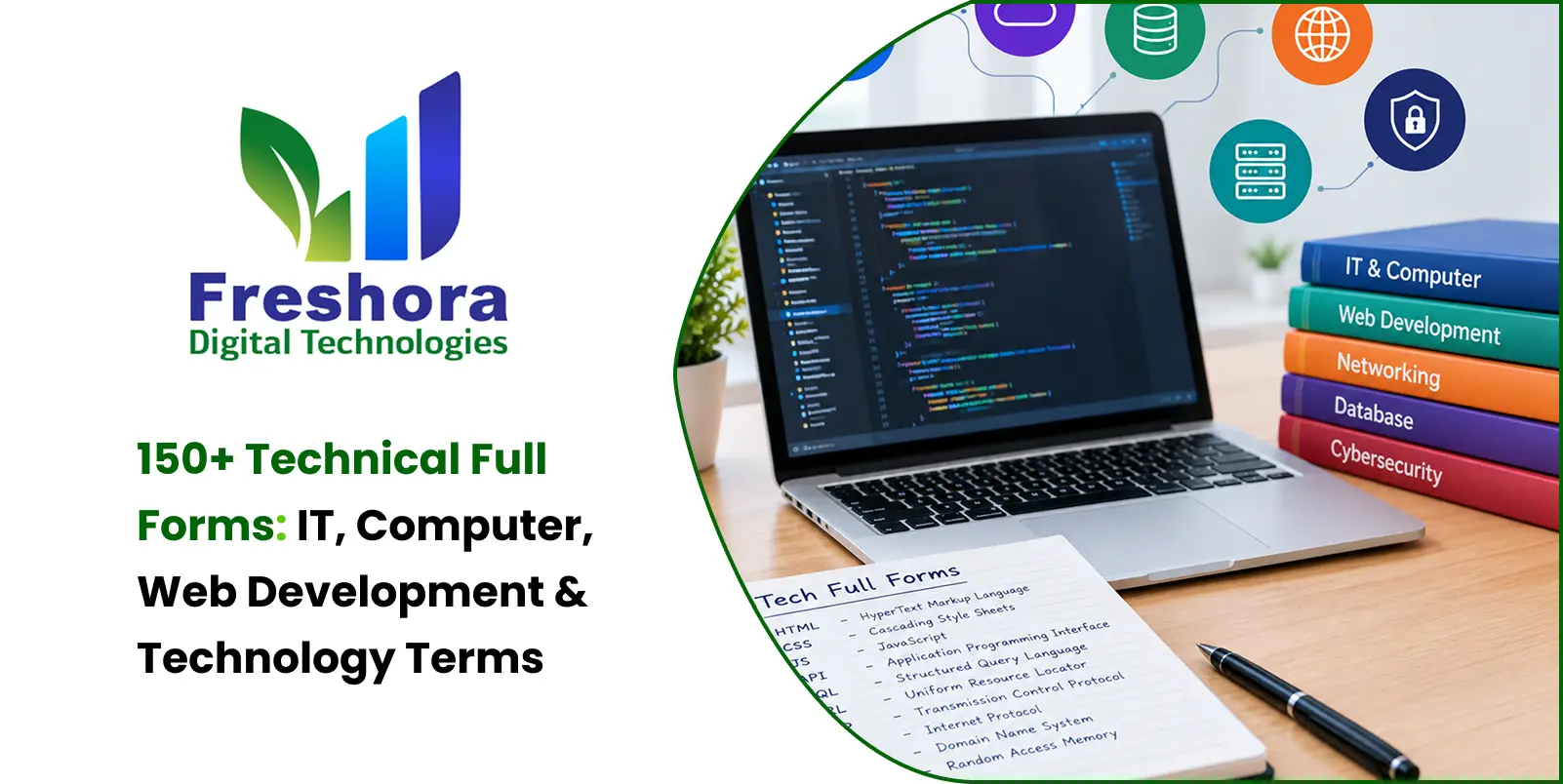

Technical abbreviations are used throughout web development, programming, databases, networking, cybersecurity, software, cloud computing and everyday computer use. Knowing their meanings makes technical documentation easier to understand and helps students, developers and IT professionals communicate more clearly.
This guide provides a practical reference to 100+ technical full forms and abbreviations, grouped by topic. Each entry includes the abbreviation, full form, category and a clear explanation so you can understand where the term is commonly used.
Whether you are a student learning computer basics, a beginner in web development, a programmer, or an IT professional, this list can help you become familiar with commonly used technical terminology.
Quick List of Common Technical Full Forms
| No. | Abbreviation | Full Form | Category | Explanation |
|---|---|---|---|---|
| 1 | HTML | HyperText Markup Language | Web Development | HTML is the standard markup language used to structure content on web pages. |
| 2 | CSS | Cascading Style Sheets | Web Development | CSS controls the visual presentation, layout, spacing, colours and typography of web pages. |
| 3 | JS | JavaScript | Programming | JavaScript is a programming language widely used to create interactive and dynamic web experiences. |
| 4 | PHP | Hypertext Preprocessor | Programming | PHP is a server-side scripting language commonly used to build dynamic websites and web applications. |
| 5 | SQL | Structured Query Language | Database | SQL is used to create, retrieve, update and manage data in relational databases. |
| 6 | API | Application Programming Interface | Software | An API defines how different software components communicate and exchange data or functionality. |
| 7 | HTTP | HyperText Transfer Protocol | Internet | HTTP is a protocol used for communication between web clients and servers. |
| 8 | HTTPS | HyperText Transfer Protocol Secure | Internet Security | HTTPS protects HTTP communication by using cryptographic security. |
| 9 | URL | Uniform Resource Locator | Internet | A URL identifies the location of a resource available through a network. |
| 10 | DNS | Domain Name System | Networking | DNS translates domain names into IP addresses and helps devices locate internet services. |
| 11 | JSON | JavaScript Object Notation | Data | JSON is a lightweight format commonly used to exchange structured data between applications. |
| 12 | XML | Extensible Markup Language | Data | XML is used to represent and exchange structured information. |
| 13 | SMTP | Simple Mail Transfer Protocol | SMTP is commonly used to send email messages between mail systems. | |
| 14 | FTP | File Transfer Protocol | Networking | FTP is a protocol used to transfer files between systems over a network. |
| 15 | SSH | Secure Shell | Cybersecurity | SSH provides secure remote access to computers and servers through encrypted communication. |
| 16 | SSL | Secure Sockets Layer | Cybersecurity | SSL is an older security protocol that was used to protect network communication and has been replaced by TLS. |
| 17 | TLS | Transport Layer Security | Cybersecurity | TLS is a cryptographic protocol used to secure communication across networks. |
| 18 | UI | User Interface | Software | UI refers to the visual and interactive elements through which users interact with software. |
| 19 | UX | User Experience | Software | UX focuses on the overall experience users have while interacting with a product or service. |
| 20 | DOM | Document Object Model | Web Development | DOM represents an HTML document as a structured tree that scripts can access and modify. |
1. Web Development Full Forms
| No. | Abbreviation | Full Form | Category | Explanation |
|---|---|---|---|---|
| 21 | HTML | HyperText Markup Language | Web Development | HTML is the standard markup language used to structure web-page content. |
| 22 | CSS | Cascading Style Sheets | Web Development | CSS is used to control the appearance and layout of websites. |
| 23 | JS | JavaScript | Programming | JavaScript adds dynamic behaviour and interaction to websites and applications. |
| 24 | DOM | Document Object Model | Web Development | DOM provides a structured representation of a web document that scripts can manipulate. |
| 25 | AJAX | Asynchronous JavaScript and XML | Web Development | AJAX describes techniques for communicating with a server without requiring a complete page reload. |
| 26 | SPA | Single-Page Application | Web Development | A SPA dynamically updates content within a single web page rather than loading a new page for every interaction. |
| 27 | SSR | Server-Side Rendering | Web Development | SSR generates page content on the server before sending the rendered response to the browser. |
| 28 | CSR | Client-Side Rendering | Web Development | CSR allows JavaScript running in the browser to generate or update much of the page content. |
| 29 | PWA | Progressive Web App | Web Development | A PWA is a web application designed to provide an app-like experience using modern web technologies. |
| 30 | CDN | Content Delivery Network | Web Infrastructure | A CDN distributes web resources through multiple locations to improve content delivery for users. |
| 31 | SEO | Search Engine Optimization | Digital Marketing | SEO involves practices used to improve a website's visibility in search-engine results. |
| 32 | CMS | Content Management System | Web Development | A CMS allows users to create, manage and publish website content without manually building every page. |
| 33 | WYSIWYG | What You See Is What You Get | Web Development | A WYSIWYG editor lets users edit content in a visual environment that represents the final appearance. |
| 34 | REST | Representational State Transfer | API Development | REST is an architectural style commonly used to design web APIs around resources and HTTP operations. |
2. Programming Full Forms
| No. | Abbreviation | Full Form | Category | Explanation |
|---|---|---|---|---|
| 35 | PHP | Hypertext Preprocessor | Programming | PHP is a server-side scripting language commonly used for web development. |
| 36 | OOP | Object-Oriented Programming | Programming | OOP is a programming approach based on concepts such as classes, objects, properties and methods. |
| 37 | MVC | Model-View-Controller | Software Architecture | MVC separates application data, presentation and control logic into distinct components. |
| 38 | IDE | Integrated Development Environment | Programming Tools | An IDE combines tools such as a code editor, debugger and project-management features. |
| 39 | CLI | Command-Line Interface | Programming Tools | CLI allows users to interact with software by entering commands in a terminal. |
| 40 | SDK | Software Development Kit | Programming Tools | An SDK provides tools, libraries and documentation for developing software for a platform or service. |
| 41 | REPL | Read-Eval-Print Loop | Programming | A REPL is an interactive environment that reads code, evaluates it, displays the result and waits for another command. |
| 42 | ORM | Object-Relational Mapping | Programming | ORM allows application code to interact with database records through programming objects. |
| 43 | DRY | Don't Repeat Yourself | Programming Principle | DRY encourages developers to reduce unnecessary duplication in software code. |
| 44 | KISS | Keep It Simple, Stupid | Programming Principle | KISS encourages developers to prefer simple solutions over unnecessary complexity. |
| 45 | SOLID | Five Object-Oriented Design Principles | Software Design | SOLID is a group of principles intended to improve maintainability and flexibility in object-oriented software. |
| 46 | TDD | Test-Driven Development | Software Development | TDD is a development approach where tests are written before the implementation. |
| 47 | BDD | Behavior-Driven Development | Software Development | BDD focuses on describing software behaviour in terms of expected functionality. |
| 48 | DDD | Domain-Driven Design | Software Design | DDD focuses on modelling software around the business domain and its requirements. |
| 49 | JVM | Java Virtual Machine | Programming | JVM is the runtime environment used to execute Java bytecode. |
| 50 | JDK | Java Development Kit | Programming | JDK provides the tools required to develop Java applications. |
| 51 | JRE | Java Runtime Environment | Programming | JRE provides the components needed to run Java applications. |
3. Database Full Forms
| No. | Abbreviation | Full Form | Category | Explanation |
|---|---|---|---|---|
| 52 | DBMS | Database Management System | Database | A DBMS is software used to create, store, organize, retrieve and manage database information. |
| 53 | RDBMS | Relational Database Management System | Database | An RDBMS stores information in related tables and commonly uses SQL to manage the data. |
| 54 | SQL | Structured Query Language | Database | SQL is used to create, retrieve, update and manage relational database data. |
| 55 | NoSQL | Not Only SQL | Database | NoSQL is a broad term for database systems that use data models other than traditional relational tables. |
| 56 | CRUD | Create, Read, Update, Delete | Database | CRUD represents the four basic operations commonly performed on stored data. |
| 57 | ACID | Atomicity, Consistency, Isolation, Durability | Database | ACID describes properties that help maintain reliability and consistency during database transactions. |
| 58 | DDL | Data Definition Language | Database | DDL contains SQL commands used to define and modify database structures. |
| 59 | DML | Data Manipulation Language | Database | DML refers to SQL operations used to insert, modify and delete data. |
| 60 | DQL | Data Query Language | Database | DQL is commonly used to describe SQL operations that retrieve data from databases. |
| 61 | DCL | Data Control Language | Database | DCL refers to SQL commands concerned with database access permissions. |
| 62 | TCL | Transaction Control Language | Database | TCL refers to commands used to manage database transactions. |
| 63 | ERD | Entity-Relationship Diagram | Database Design | An ERD visually represents entities, attributes and relationships in a database design. |
| 64 | OLTP | Online Transaction Processing | Database | OLTP systems are designed to process frequent operational transactions, often in real time. |
| 65 | OLAP | Online Analytical Processing | Data Analytics | OLAP technologies are used to analyze data across multiple dimensions for reporting and decision-making. |
| 66 | ODBC | Open Database Connectivity | Database | ODBC provides a standard interface for applications to communicate with database systems. |
| 67 | JDBC | Java Database Connectivity | Database | JDBC is an API used by Java applications to connect to and work with databases. |
4. Internet and Networking Full Forms
| No. | Abbreviation | Full Form | Category | Explanation |
|---|---|---|---|---|
| 68 | URI | Uniform Resource Identifier | Internet | A URI is an identifier used to identify a particular resource. |
| 69 | IP | Internet Protocol | Networking | IP provides addressing and routing mechanisms for data travelling across networks. |
| 70 | TCP | Transmission Control Protocol | Networking | TCP provides reliable and ordered delivery of data between devices. |
| 71 | UDP | User Datagram Protocol | Networking | UDP provides connectionless communication with lower overhead than TCP. |
| 72 | DHCP | Dynamic Host Configuration Protocol | Networking | DHCP automatically provides devices with network configuration information such as IP addresses. |
| 73 | LAN | Local Area Network | Networking | LAN connects devices within a limited geographical area such as a home, school or office. |
| 74 | WAN | Wide Area Network | Networking | WAN connects networks across larger geographical areas. |
| 75 | WLAN | Wireless Local Area Network | Networking | WLAN is a local network that uses wireless communication. |
| 76 | VPN | Virtual Private Network | Networking | VPN technology creates an encrypted connection over another network. |
| 77 | MAC | Media Access Control | Networking | A MAC address is a hardware-level network identifier associated with a network interface. |
| 78 | ISP | Internet Service Provider | Networking | An ISP provides customers with internet access and related services. |
| 79 | NAT | Network Address Translation | Networking | NAT translates network addresses and can allow multiple private devices to share a public IP address. |
| 80 | ICMP | Internet Control Message Protocol | Networking | ICMP is used by network devices to send control and diagnostic messages. |
| 81 | ARP | Address Resolution Protocol | Networking | ARP is used on IPv4 networks to determine the hardware address associated with an IP address. |
| 82 | BGP | Border Gateway Protocol | Networking | BGP is used to exchange routing information between autonomous systems on the internet. |
| 83 | FQDN | Fully Qualified Domain Name | Networking | An FQDN specifies the complete domain name of a host. |
| 84 | NTP | Network Time Protocol | Networking | NTP synchronizes computer and network-device clocks over a network. |
| 85 | SNMP | Simple Network Management Protocol | Networking | SNMP is used to monitor and manage network devices and systems. |
5. Email and Communication Full Forms
| No. | Abbreviation | Full Form | Category | Explanation |
|---|---|---|---|---|
| 86 | IMAP | Internet Message Access Protocol | IMAP allows email clients to access and manage messages stored on a mail server. | |
| 87 | POP | Post Office Protocol | POP is an email retrieval protocol commonly used to download messages from a mail server. | |
| 88 | MIME | Multipurpose Internet Mail Extensions | MIME provides a standard way to identify different types of content transmitted through email and internet protocols. | |
| 89 | MTA | Mail Transfer Agent | An MTA transfers email messages between mail systems. | |
| 90 | MUA | Mail User Agent | An MUA is software used to compose, send and manage email messages. | |
| 91 | SMS | Short Message Service | Communication | SMS is a mobile communication service used to send short text messages. |
| 92 | MMS | Multimedia Messaging Service | Communication | MMS allows users to send messages containing multimedia content. |
6. Cybersecurity Full Forms
| No. | Abbreviation | Full Form | Category | Explanation |
|---|---|---|---|---|
| 93 | OTP | One-Time Password | Cybersecurity | OTP is a temporary password designed for use during a particular authentication attempt. |
| 94 | MFA | Multi-Factor Authentication | Cybersecurity | MFA requires multiple forms of verification to access an account or system. |
| 95 | 2FA | Two-Factor Authentication | Cybersecurity | 2FA uses two different authentication factors to verify a user's identity. |
| 96 | AES | Advanced Encryption Standard | Cybersecurity | AES is a widely used symmetric encryption standard for protecting digital information. |
| 97 | RSA | Rivest-Shamir-Adleman | Cryptography | RSA is a public-key cryptographic algorithm named after its creators. |
| 98 | DDoS | Distributed Denial of Service | Cybersecurity | A DDoS attack attempts to overwhelm a service with traffic from multiple sources. |
| 99 | DoS | Denial of Service | Cybersecurity | A DoS attack attempts to make a service or system unavailable to legitimate users. |
| 100 | CAPTCHA | Completely Automated Public Turing test to tell Computers and Humans Apart | Cybersecurity | CAPTCHA challenges help distinguish automated activity from human users. |
| 101 | WAF | Web Application Firewall | Web Security | A WAF monitors and filters web traffic to help protect web applications from attacks. |
| 102 | IDS | Intrusion Detection System | Cybersecurity | An IDS monitors systems or networks for suspicious activity and possible security threats. |
| 103 | IPS | Intrusion Prevention System | Cybersecurity | An IPS monitors traffic and can take action to block detected threats. |
| 104 | XSS | Cross-Site Scripting | Web Security | XSS is a web-security vulnerability involving malicious scripts being injected into content viewed by users. |
| 105 | CSRF | Cross-Site Request Forgery | Web Security | CSRF can cause an authenticated user's browser to perform an unwanted action on a website. |
| 106 | SQLi | SQL Injection | Web Security | SQL injection occurs when malicious input is used to manipulate database queries. |
| 107 | JWT | JSON Web Token | Web Security | JWT is a compact token format commonly used to securely transmit claims between systems. |
| 108 | CORS | Cross-Origin Resource Sharing | Web Security | CORS is a browser security mechanism that controls cross-origin resource requests. |
7. Software and Application Terms
| No. | Abbreviation | Full Form | Category | Explanation |
|---|---|---|---|---|
| 109 | GUI | Graphical User Interface | Software | GUI allows users to interact with software through visual elements such as windows, menus, buttons and icons. |
| 110 | OS | Operating System | Software | An operating system manages computer hardware and provides a platform for applications. |
| 111 | DLL | Dynamic Link Library | Software | DLL is a Windows library file format used to share code and resources between applications. |
| 112 | EXE | Executable | Software | EXE commonly refers to an executable file used to run programs on Windows. |
| 113 | APK | Android Package Kit | Mobile Software | APK is the package file format traditionally used to distribute and install Android applications. |
| 114 | SaaS | Software as a Service | Cloud Software | SaaS is a software delivery model in which applications are provided to users as online services. |
| 115 | PaaS | Platform as a Service | Cloud Computing | PaaS provides a managed environment for building and deploying applications. |
| 116 | IaaS | Infrastructure as a Service | Cloud Computing | IaaS provides virtualized infrastructure such as servers, storage and networking. |
8. Software Development and Deployment
| No. | Abbreviation / Term | Full Form / Meaning | Category | Explanation |
|---|---|---|---|---|
| 117 | Git | Version Control System | Development Tools | Git is a distributed version-control system used to track source-code changes and support collaboration. |
| 118 | CI | Continuous Integration | DevOps | CI is a development practice where code changes are regularly integrated and automatically tested. |
| 119 | CD | Continuous Delivery / Continuous Deployment | DevOps | CD can describe continuously preparing software for release or automatically deploying tested changes. |
| 120 | DevOps | Development + Operations | DevOps | DevOps combines development and operations practices to improve software delivery, automation and collaboration. |
| 121 | VCS | Version Control System | Development Tools | A VCS records file changes so developers can review, compare and restore earlier versions. |
| 122 | NPM | Node Package Manager | Development Tools | NPM is the package manager commonly used with Node.js projects. |
| 123 | LTS | Long-Term Support | Software Development | LTS describes a software release that receives maintenance and security support for an extended period. |
| 124 | Docker | Container Platform | Development & Deployment | Docker is a platform used to build, package and run applications in containers. |
| 125 | Regex | Regular Expression | Programming | Regex is a shortened form of regular expression, a pattern used to search, match or manipulate text. |
9. Computer Hardware Full Forms
| No. | Abbreviation | Full Form | Category | Explanation |
|---|---|---|---|---|
| 126 | CPU | Central Processing Unit | Hardware | The CPU executes program instructions and performs many calculations required by a computer. |
| 127 | GPU | Graphics Processing Unit | Hardware | A GPU is specialized hardware designed for graphics processing and highly parallel workloads. |
| 128 | RAM | Random Access Memory | Hardware | RAM provides temporary working memory for the operating system and running applications. |
| 129 | ROM | Read-Only Memory | Hardware | ROM refers to memory designed primarily for retaining stored information. |
| 130 | HDD | Hard Disk Drive | Storage | HDDs use magnetic disks to store digital information. |
| 131 | SSD | Solid-State Drive | Storage | SSDs store information using flash memory and generally provide faster access than traditional HDDs. |
| 132 | USB | Universal Serial Bus | Hardware | USB is a standard used to connect devices and transfer data and power. |
| 133 | HDMI | High-Definition Multimedia Interface | Hardware | HDMI is commonly used to transmit digital audio and video. |
| 134 | BIOS | Basic Input/Output System | Firmware | BIOS is firmware used to initialize hardware and begin the computer boot process. |
| 135 | UEFI | Unified Extensible Firmware Interface | Firmware | UEFI is a modern firmware interface used to initialize hardware and start an operating system. |
| 136 | PSU | Power Supply Unit | Hardware | A PSU converts electrical power into forms required by computer components. |
| 137 | CMOS | Complementary Metal-Oxide-Semiconductor | Hardware | CMOS is a semiconductor technology used in electronics and is also associated with certain computer configuration memory systems. |
| 138 | TFT | Thin-Film Transistor | Display Technology | TFT is a transistor technology commonly used in flat-panel displays. |
| 139 | LCD | Liquid Crystal Display | Display Technology | LCD is a display technology that uses liquid crystals to control light and produce images. |
10. Data and File Format Full Forms
| No. | Abbreviation | Full Form | Category | Explanation |
|---|---|---|---|---|
| 140 | CSV | Comma-Separated Values | Data Format | CSV is a simple text format commonly used to store tabular data. |
| 141 | Portable Document Format | Document Format | PDF is designed to preserve document layout across different systems and devices. | |
| 142 | JPEG | Joint Photographic Experts Group | Image Format | JPEG is an image format widely used for photographs and compressed images. |
| 143 | PNG | Portable Network Graphics | Image Format | PNG is an image format that supports lossless compression and transparency. |
| 144 | GIF | Graphics Interchange Format | Image Format | GIF is an image format that supports animation and a limited colour palette. |
| 145 | SVG | Scalable Vector Graphics | Image Format | SVG is a vector graphics format that represents images using XML-based descriptions. |
| 146 | WebP | WebP | Image Format | WebP is a modern image format designed for efficient web delivery. The name is treated as the format name rather than a conventional acronym. |
11. Cloud and Modern Technology Full Forms
| No. | Abbreviation | Full Form | Category | Explanation |
|---|---|---|---|---|
| 147 | AWS | Amazon Web Services | Cloud Computing | AWS is a cloud-computing platform offering infrastructure, storage, databases, networking and other services. |
| 148 | GCP | Google Cloud Platform | Cloud Computing | GCP is Google's cloud-computing platform providing infrastructure and managed cloud services. |
| 149 | VM | Virtual Machine | Cloud Computing | A VM is a software-based computer environment that runs using virtualized hardware resources. |
| 150 | VPS | Virtual Private Server | Cloud Computing | A VPS is a virtualized server environment that provides isolated resources within a physical server. |
| 151 | AI | Artificial Intelligence | Artificial Intelligence | AI refers to technologies that enable computer systems to perform tasks associated with aspects of human intelligence. |
| 152 | ML | Machine Learning | Artificial Intelligence | ML is a branch of AI in which computer systems learn patterns from data to make predictions or decisions. |
| 153 | IoT | Internet of Things | Modern Technology | IoT refers to physical devices connected to networks that can collect, transmit or exchange data. |
| 154 | NLP | Natural Language Processing | Artificial Intelligence | NLP involves technologies that enable computers to process and work with human language. |
| 155 | WWW | World Wide Web | Internet | The World Wide Web is a system of interconnected web resources accessed through the internet. |
12. E-Commerce and Payment Technology Full Forms
| No. | Abbreviation | Full Form | Category | Explanation |
|---|---|---|---|---|
| 156 | POS | Point of Sale | E-Commerce & Payments | POS refers to the system or location where a customer completes a purchase. |
| 157 | UPI | Unified Payments Interface | Digital Payments | UPI enables users to make bank-account-based digital payments through supported applications. |
| 158 | QR | Quick Response | Digital Payments | QR commonly refers to a two-dimensional code that stores information readable by compatible devices. |
| 159 | PCI DSS | Payment Card Industry Data Security Standard | Payment Security | PCI DSS is a set of security requirements designed to protect payment-card information. |
| 160 | CVV | Card Verification Value | Payment Security | CVV is a security code associated with payment cards and commonly used to help verify certain transactions. |
| 161 | EMI | Equated Monthly Instalment | Finance & Payments | EMI refers to a fixed periodic payment commonly used to repay loans or financed purchases. |
| 162 | KYC | Know Your Customer | Finance & Security | KYC refers to procedures used to verify customer identity. |
| 163 | GST | Goods and Services Tax | Taxation | GST is an indirect tax system applied to the supply of goods and services in India. |
13. Common Technology Full Forms
| No. | Abbreviation | Full Form | Category | Explanation |
|---|---|---|---|---|
| 164 | IT | Information Technology | Technology | IT refers to the use of computers, software, networks and digital systems to create, store, process and exchange information. |
| 165 | ICT | Information and Communications Technology | Technology | ICT is a broader term covering information and communication technologies. |
| 166 | localhost | Local Host | Web Development | localhost refers to the local computer or device on which a service or application is running. |
Important Note About Technical Terms That Are Not Conventional Acronyms
Not every technical term has a traditional full form. Some terms are shortened expressions, product names or conventional technical names. Treating them accurately makes a technical reference more reliable.
Git
Git is the name of a distributed version-control system. It is not normally treated as an acronym.
WebP
WebP is the name of an image format. It should not be presented as though it has a universally accepted official expanded form.
DevOps
DevOps combines development and operations practices. It describes a set of practices rather than a conventional acronym.
Regex
Regex is a shortened form of regular expression, referring to a pattern used to search or match text.
localhost
localhost refers to the local computer or host being used. It is a technical term rather than a conventional acronym.
NoSQL
NoSQL is commonly expanded as Not Only SQL, but the term is generally used for a broad category of non-relational database technologies.
Why Are Technical Full Forms Important?
Technical abbreviations make communication faster, but they can be confusing when someone is new to the field.
Knowing common full forms can help you:
- Understand technical documentation
- Read programming tutorials more easily
- Communicate with developers and IT teams
- Understand networking terminology
- Learn database concepts
- Follow cybersecurity discussions
- Understand software and cloud services
- Prepare for technical interviews and exams
Rather than memorising every abbreviation, focus first on the terms that appear regularly in the area you are studying or working in.
Technical Full Forms for Students
Students studying computer science and information technology often encounter abbreviations before becoming familiar with the underlying concepts.
A useful way to learn technical full forms is to group them by subject rather than memorising a random list.
- Web Development: HTML, CSS, JS, DOM, AJAX, SPA, SSR
- Programming: PHP, OOP, MVC, IDE, SDK, CLI
- Database: SQL, DBMS, RDBMS, CRUD, ORM
- Networking: IP, TCP, UDP, DNS, DHCP, LAN, WAN
- Security: SSL, TLS, SSH, MFA, OTP, XSS, CSRF
- Hardware: CPU, GPU, RAM, ROM, HDD, SSD, USB
- Cloud: AWS, GCP, SaaS, PaaS, IaaS, VM
- Modern Technology: AI, ML, IoT, NLP
Learning terms alongside their practical purpose makes them easier to remember and recognize in technical documentation.
Technical Full Forms for Web Developers
Web developers regularly encounter abbreviations from several areas at the same time.
A frontend developer may work with HTML, CSS, JavaScript, DOM, AJAX, JSON and API concepts, while backend development may involve PHP, SQL, REST, JSON, MVC, ORM and databases.
Deployment and infrastructure can introduce additional terms such as Git, CI/CD, Docker, SSH, DNS and CDN.
Understanding these abbreviations helps developers read documentation, communicate with technical teams and understand how different parts of a web application connect.
Technical Full Forms for IT Professionals
IT professionals may encounter terminology from networking, security, hardware, cloud computing and software administration.
Networking work may involve IP, TCP, DNS, DHCP, VPN and SSH, while cloud environments may involve AWS, GCP, SaaS, PaaS and IaaS.
Security-related work can involve TLS, MFA, 2FA, JWT, WAF and CORS.
The exact terminology used depends on the technology stack, organization and type of IT environment.
Conclusion
Technical full forms are useful for understanding the language of modern computing and information technology. From HTML, CSS and JavaScript in web development to SQL and JSON in data handling, and HTTP, DNS and SSH in networking, these terms appear throughout everyday technical work.
You do not need to memorise every term at once. Start with the abbreviations related to your field and gradually expand your knowledge as you work with new technologies.
This list provides a practical reference for technical full forms, IT abbreviations, computer terms, programming terminology, web development terms, networking abbreviations and common technology vocabulary.