

Contact our team for professional guidance and solutions.
Website Redesign Dubai projects should begin with an audit of the existing website's performance, content, user experience, technical SEO, security, and conversion paths. Businesses should identify outdated layouts, confusing navigation, slow-loading pages, mobile usability issues, and broken links before rebuilding. A structured redesign checklist helps protect existing search visibility while creating a more useful, accessible, and conversion-focused website.
An outdated website can create challenges for businesses even when their services remain relevant and their customer base continues to grow. Visitors may struggle to find information, encounter layouts that do not work well on smartphones, or leave because the website does not communicate the company's current capabilities. For businesses operating in Dubai, a website must also reflect changing customer expectations, support different devices, and make it easy for potential customers to understand available services. However, redesigning a website involves more than replacing colours, images, and fonts. Changes to URLs, content, navigation, technical infrastructure, and tracking can affect how visitors use the website and how search engines understand it. A structured checklist helps businesses identify what needs improvement, prioritise essential changes, and prepare for a controlled launch. By evaluating the existing website before making major changes, companies can modernise their online presence while preserving valuable content and supporting long-term business objectives.
The first step is to understand how the current website performs and where it creates difficulties for users. Without an audit, a redesign may remove useful features or change pages that already attract qualified visitors.
Start by reviewing the website's main pages, technical condition, content quality, and business results.
Review website traffic: Use Google Analytics 4 to identify important landing pages, traffic sources, engagement patterns, and tracked conversions.
Check organic search performance: Use Google Search Console to identify pages that receive impressions, clicks, and valuable search traffic.
Identify outdated content: Find old service descriptions, incorrect contact details, obsolete offers, and information that no longer reflects the business.
Test existing functionality: Check contact forms, booking systems, telephone links, WhatsApp buttons, menus, and downloadable resources.
Review website performance: Test representative pages using Google PageSpeed Insights and investigate loading, responsiveness, and visual stability issues.
Document existing URLs: Record important page addresses, especially those receiving organic traffic or external backlinks.
Create a list of problems and group them according to their impact. A broken enquiry form or incorrect service information should generally receive attention before a minor visual inconsistency.
A redesign should solve identifiable business problems rather than simply make the website look newer. Before selecting a design direction, establish what the updated website must achieve.
Different businesses have different priorities. A consulting company may want more appointment bookings, a construction company may need project enquiry forms, and an e-commerce business may focus on product discovery and completed purchases.
Define the main objectives by considering the following questions:
What should visitors do after arriving on the website?
Which services or products need greater visibility?
What questions prevent potential customers from making an enquiry?
Which existing pages contribute most to customer acquisition?
What technical limitations prevent the business from expanding its website?
How will the team measure whether the redesign is successful?
For example, a Dubai-based business services company might discover that its website attracts visitors to individual service pages but generates few enquiries. Its redesign could prioritise clearer service descriptions, relevant proof of experience, simpler contact forms, and more visible consultation options.
Set measurable goals wherever possible. Track enquiry submissions, qualified leads, booking completions, or other actions that reflect the company's objectives. Avoid defining success solely through visual improvements or an increase in total website traffic.
A website's visual presentation should communicate the business's identity and make its information easy to understand. Outdated typography, inconsistent spacing, low-quality imagery, and crowded layouts can make an otherwise capable company appear less professional.
Modern Website Design Dubai projects should establish a consistent design system before individual pages are rebuilt.
Important areas to review include:
Typography: Choose readable fonts, consistent heading styles, and appropriate text sizes for different screen widths.
Colour palette: Use a controlled set of brand colours with sufficient contrast between text, backgrounds, and interactive elements.
Spacing: Apply consistent margins, padding, and section spacing to create a clear visual hierarchy.
Imagery: Replace outdated or irrelevant images with suitable, high-quality visuals that reflect the business's actual services.
Buttons and forms: Use consistent styles so visitors can recognise interactive elements easily.
Brand consistency: Ensure that logos, colours, language, imagery, and messaging align across important pages.
Avoid redesigning every element simply because it looks old. Some existing components may remain useful if they meet current usability and accessibility requirements.
A successful visual refresh should improve clarity and credibility while helping visitors focus on the information that matters.
Navigation problems can prevent visitors from finding services, understanding the company's structure, or reaching contact information. Adding more pages without improving the navigation can make the problem worse.
A Website Navigation Redesign should begin with a review of the website's existing page hierarchy and the routes customers use to find information.
A practical process includes:
Identify the main services, product categories, and customer information pages.
Group related pages under clear and meaningful headings.
Keep essential destinations, such as Services, About, and Contact, easy to find.
Remove unnecessary menu items and outdated links.
Add contextual internal links between related service pages and useful resources.
Test navigation on smartphones, tablets, and desktop computers.
For example, a company offering website development, custom software, and e-commerce solutions may benefit from separate service pages grouped under a single Services menu. Each page should explain its offering and provide an appropriate route to an enquiry.
Breadcrumbs can also help visitors understand where they are within a large website. Search functionality may be useful for businesses with extensive product catalogues, resource libraries, or multiple service categories.
The aim is to help visitors reach relevant information with fewer unnecessary steps, not to force every page into the same menu structure.
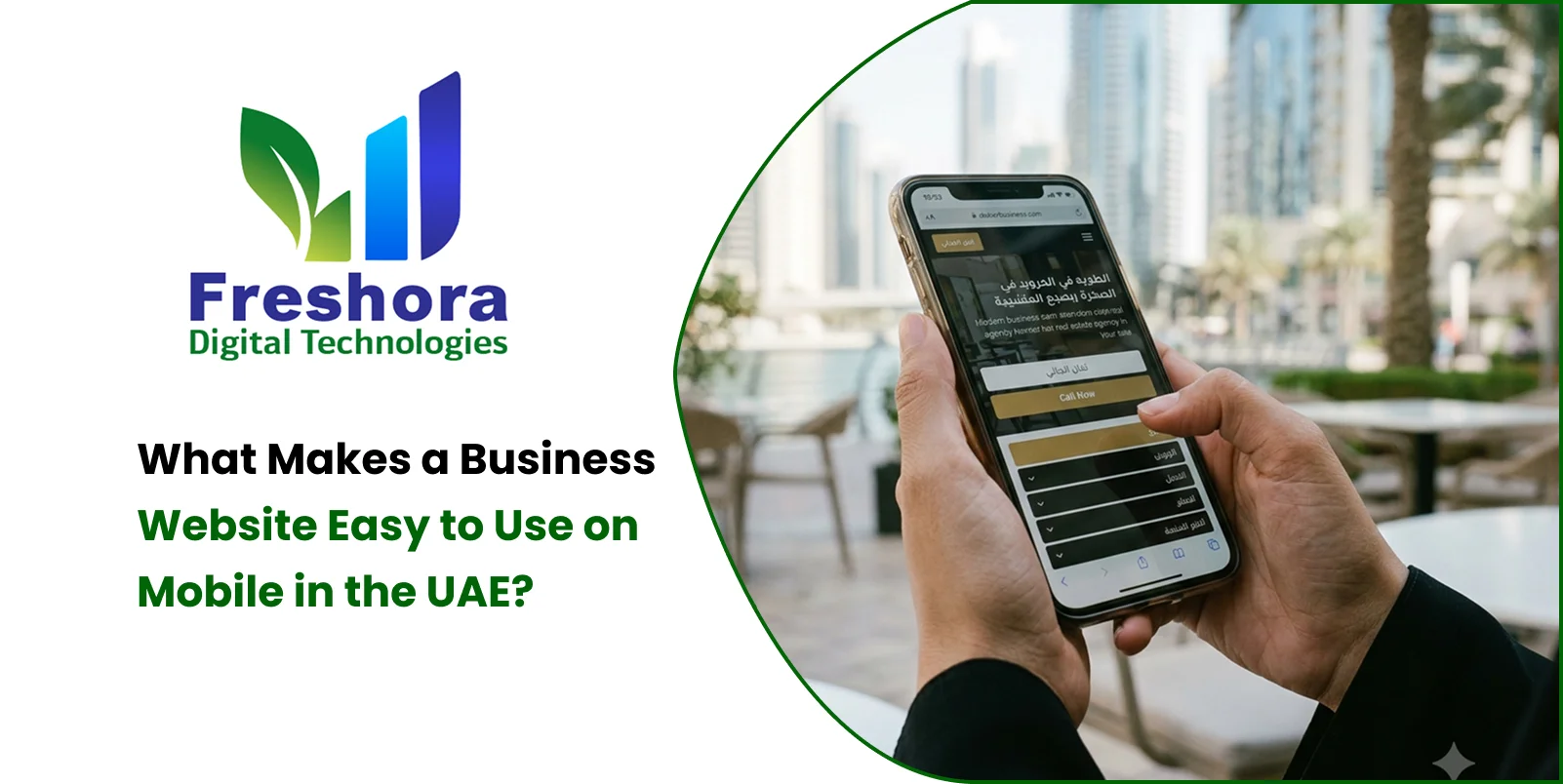
A redesigned website should work consistently across different devices and screen sizes. Simply shrinking the desktop layout can leave mobile visitors with small text, awkward menus, oversized images, and difficult forms.
Responsive Website Redesign should be included in the initial planning process rather than treated as a final development task.
Use this checklist to evaluate the mobile experience:
The layout adapts to different screen widths without unnecessary horizontal scrolling.
Text remains readable without requiring visitors to zoom.
Buttons and links provide comfortable touch targets and adequate spacing.
Navigation menus open, close, and function correctly on touchscreens.
Images and videos scale appropriately without obscuring important information.
Forms use suitable input types and display clear validation messages.
Telephone numbers and relevant messaging links are easy to activate.
Pop-ups and sticky elements do not cover essential content.
Arabic and English layouts work correctly where both languages are supported.
Test important pages on actual smartphones rather than relying exclusively on browser previews. Check both portrait and landscape orientations where relevant, and include common tasks such as completing an enquiry form or finding service details.
A mobile-friendly redesign should preserve the usefulness of the full website while presenting its content in a format suited to smaller screens.
A redesigned website should not introduce performance problems through oversized images, excessive animation, unnecessary scripts, or inefficient technical implementation.
Website speed should be evaluated before and after the redesign so the team can determine whether the new implementation improves the experience.
Google's Core Web Vitals provide three useful performance measures:
Largest Contentful Paint (LCP): Measures when the main content becomes visible. A good result is 2.5 seconds or less.
Interaction to Next Paint (INP): Measures responsiveness to user interactions. A good result is 200 milliseconds or less.
Cumulative Layout Shift (CLS): Measures unexpected visual movement. A good result is 0.1 or less.
These thresholds are assessed at the 75th percentile. They are useful performance targets, not guarantees of higher rankings or conversions.
Technical improvements may include:
Compressing images and using modern image formats where appropriate.
Serving images at suitable dimensions for the device.
Removing unnecessary scripts, stylesheets, and third-party integrations.
Optimising font delivery and limiting unnecessary font variations.
Implementing appropriate caching and compression.
Reducing render-blocking resources where practical.
Testing server response times and database performance.
Loading below-the-fold resources efficiently without delaying important content.
Run tests on representative pages rather than checking only the homepage. A service page with several images or an enquiry page with embedded tools may perform differently from a simple informational page.
One of the most important parts of a redesign is protecting the search visibility that the existing website has already earned. Changing page URLs, deleting useful content, or removing internal links without a plan can affect organic traffic.
The Website Redesign Checklist UAE businesses follow should include technical SEO planning before development begins.
Export important URLs from the existing sitemap and website crawl.
Review Google Search Console to identify pages with valuable impressions and clicks.
Identify pages that receive external backlinks.
Record current title tags, meta descriptions, canonical URLs, and indexability settings.
Identify duplicate pages, redirect chains, broken links, and outdated content.
Decide which URLs should remain unchanged and which require migration.
Preserve existing URLs wherever practical.
Create relevant one-to-one 301 redirects for pages whose URLs must change.
Update internal links to point directly to the final destinations.
Maintain useful content and search intent on important landing pages.
Implement accurate canonical tags and indexation directives.
Generate and validate the new XML sitemap.
Check robots.txt to ensure important pages and resources remain crawlable.
Test redirects, canonical tags, robots directives, and sitemap URLs.
Check important pages using Google Search Console's URL Inspection tool.
Monitor indexing, organic clicks, impressions, and unexpected crawl errors.
Review 404 responses and fix broken internal links.
Compare performance against the pre-launch baseline.
A redesign does not guarantee improved rankings. Protecting existing search value and monitoring the effects of changes helps reduce avoidable SEO risks.
A new design cannot compensate for inaccurate, unclear, or outdated content. The redesign process should include a content audit to determine what needs to be retained, rewritten, combined, expanded, or removed.
Review the content of each important page against its intended purpose.
Homepage: Explain what the business does, who it serves, and how visitors can take the next step.
Service pages: Describe the service scope, relevant benefits, process, and common customer questions.
About page: Present accurate company information, experience, capabilities, and relevant credentials.
Contact page: Provide current contact details, appropriate communication channels, and a clear enquiry process.
Blog and resource pages: Preserve useful articles and update information that is no longer accurate.
Case studies: Use genuine examples that explain the challenge, approach, and outcome without making unsupported claims.
For businesses targeting customers in Dubai, local relevance should be reflected in accurate service coverage, relevant customer needs, and clear business information. Repeating the same location and keywords throughout every page is not a substitute for useful content.
Review title tags, meta descriptions, heading structure, image alternative text, and internal links as part of the content migration. The goal is to ensure that the new website communicates clearly to people while remaining understandable to search engines.
A redesign is an opportunity to review the website's underlying technical setup rather than carrying every existing limitation into the new version.
Security and reliability are especially important for websites that collect personal information, accept payments, provide customer accounts, or connect to third-party business systems.
Include the following checks:
Confirm that HTTPS is configured correctly and that mixed-content issues are resolved.
Remove unused plugins, libraries, scripts, and integrations.
Update frameworks and dependencies to supported versions.
Review user permissions and administrative access.
Configure appropriate backups and verify that recovery procedures work.
Validate forms and other user inputs on the server side.
Protect sensitive data and follow applicable privacy requirements.
Test authentication, payment processing, and third-party integrations where relevant.
Review error handling and logging without exposing sensitive information.
Businesses using a custom-built website should also confirm that the new application has been tested for common security weaknesses and that deployment procedures are documented.
A successful redesign should leave the website easier to maintain, monitor, and update after launch.
The purpose of many business websites is to encourage visitors to request a quotation, book a consultation, or contact the company about a requirement. A redesign should make these actions easier to complete.
Review every important conversion path and remove unnecessary steps.
For example, a service business may need only a name, contact method, service selection, and short message to begin a conversation. Additional information can be collected later if required.
Use the following checklist:
Place the main call to action where visitors can find it easily.
Keep forms short and request only necessary information.
Make field labels and validation messages clear.
Ensure successful submissions produce a confirmation message.
Test email notifications and CRM integrations.
Provide appropriate telephone and WhatsApp options where useful.
Verify that conversion events are recorded correctly.
Explain how submitted information will be handled.
Avoid using multiple competing calls to action that make the next step unclear. The most prominent action should reflect the visitor's likely intention on that particular page.
Conversion improvements should be measured using completed enquiries and qualified leads rather than button clicks alone.
A website should be usable by people with different browsing preferences, abilities, and language needs. Including accessibility in the redesign process can prevent common problems from becoming part of the new website.
Review these areas:
Text and background colours provide adequate contrast.
Images that communicate information have suitable alternative text.
Form fields have meaningful labels.
Interactive elements can be used with a keyboard.
Focus indicators remain visible.
Headings follow a logical structure.
Error messages explain how to correct problems.
Important information does not depend on colour alone.
Text remains usable when enlarged.
Animations and motion effects do not create unnecessary barriers.
For companies serving Arabic-speaking and English-speaking customers, review both language versions independently. Arabic content may require right-to-left layouts, suitable fonts, correct alignment, and adjustments to the placement of icons and navigation controls.
Do not assume that translating the text automatically creates a good multilingual experience. Each version should be reviewed for content accuracy, layout consistency, and functional usability.
A redesign is not complete when the new website looks correct in a development environment. The launch process should confirm that the website works, important information is accurate, and search engines can access the intended pages.
Use the following pre-launch checklist.
Review the homepage and all major service pages.
Test navigation, internal links, buttons, and interactive elements.
Submit every important enquiry form and confirm delivery.
Test the website on mobile, tablet, and desktop screens.
Check images, videos, fonts, and downloadable files.
Confirm that contact details and service information are accurate.
Confirm HTTPS and resolve mixed-content issues.
Test redirects and check for broken links.
Validate canonical tags and indexation settings.
Confirm that robots.txt does not block important pages.
Generate and validate the XML sitemap.
Review title tags, meta descriptions, and heading structure.
Test structured data where applicable.
Verify analytics and conversion tracking.
Confirm that backups and recovery procedures are available.
Inspect important URLs in Google Search Console.
Submit the updated sitemap where appropriate.
Monitor crawl errors, 404 responses, and redirect behaviour.
Compare organic traffic and conversions with the previous baseline.
Check performance on representative pages.
Collect feedback from customers and internal teams.
Prioritise and resolve any issues discovered after release.
Maintain a record of the launch date and major changes. This makes it easier to investigate performance fluctuations and determine whether an issue began before or after the redesign.
Not every website problem needs to be fixed at the same time. Businesses can prioritise redesign work using four categories: business impact, user experience, technical risk, and future readiness.
Business impact: Focus first on problems that prevent customers from understanding services, requesting quotations, or completing purchases.
User experience: Improve navigation, mobile layouts, readability, accessibility, and contact options that make the website difficult to use.
Technical risk: Resolve broken functionality, security weaknesses, redirect problems, indexation issues, and unreliable integrations before launch.
Future readiness: Choose a maintainable structure that allows the business to add services, publish content, and expand functionality without unnecessary redevelopment.
For example, if a website has a broken enquiry form, outdated service information, and inconsistent spacing, the form and content should generally receive priority because they directly affect customer interactions. Visual refinements can follow once essential functionality is reliable.
This approach helps businesses allocate their redesign budget and development time according to practical needs rather than cosmetic preferences alone.
Freshora Digital Technologies offers digital solutions that businesses can explore when planning a website redesign or modernising an existing online presence. For companies serving customers in Dubai, the right approach begins with understanding the current website, identifying business priorities, and determining which improvements will deliver the most useful results.
Depending on the project, website modernisation may involve:
Redesigning layouts to improve visual consistency and readability.
Reorganising navigation and service-page structure.
Developing responsive interfaces for mobile, tablet, and desktop devices.
Improving technical performance and website maintainability.
Reviewing content structure and technical SEO foundations.
Integrating enquiry forms, messaging options, and analytics tools.
Building additional functionality around changing business requirements.
Businesses can explore Freshora's website development solutions at https://www.freshora.ai/ to discuss their requirements and determine an appropriate development approach.
A well-planned project should establish clear deliverables, a migration strategy, testing requirements, and post-launch monitoring before development is completed. This creates a more controlled transition from the old website to the modernised version.
A website redesign should improve how a business communicates, serves customers, and supports its operational goals. For Dubai businesses, the process involves much more than refreshing colours or replacing outdated images. It requires a careful review of the existing website, clear objectives, intuitive navigation, responsive layouts, useful content, reliable performance, security checks, and a plan for preserving SEO value. A structured checklist helps teams identify priorities, assign responsibilities, and test essential features before launch. It also encourages businesses to measure the results after release instead of assuming that a new design automatically improves performance. By treating website modernisation as a planned business improvement project, companies can reduce avoidable technical risks, create a more convenient experience for visitors, and build a stronger foundation for future digital growth.


Quick Answer Mobile Web Design UAE focuses on creating websites that are easy to navigate, read, an... Read More
Quick Answer Website Design for Dubai Businesses should prioritise clear service messaging, fast mo... Read More

Completing mobile app development is only one part of launching a digital product. Before customers... Read More
Our expert will call you shortly to understand your needs and help grow your business.
Get exclusive digital marketing tips, SEO insights, web & app updates, and job opportunities delivered straight to your inbox.
Join our WhatsApp channel for instant digital marketing tips, SEO insights, web & app updates, and latest job opportunities.
Join NowFreshora Digital Technologies proudly serves businesses across Dubai and the United Arab Emirates, including Abu Dhabi, Sharjah, Ajman, Umm Al Quwain, Ras Al Khaimah, and Fujairah.
We also serve businesses across the GCC region, including Saudi Arabia, Qatar, Kuwait, Bahrain, and Oman, providing Website Development, Mobile App Development, Software Development, SEO, Google Business Profile Management, Digital Marketing, UI/UX Design, E-commerce Development, AI Solutions, and other digital technology services designed to strengthen online visibility, generate enquiries, and support business growth. We also work with businesses internationally across India, Singapore, Canada, Australia, the United Kingdom, and the United States, delivering innovative digital solutions tailored to different markets and business requirements.

