
Contact our team for professional guidance and solutions.
Businesses in Dubai often manage a combination of customer enquiries, sales activities, approvals, invoices, documents, internal requests and reporting. As the number of transactions grows, repeating these activities manually can create delays, duplicate data entry and inconsistent processes.
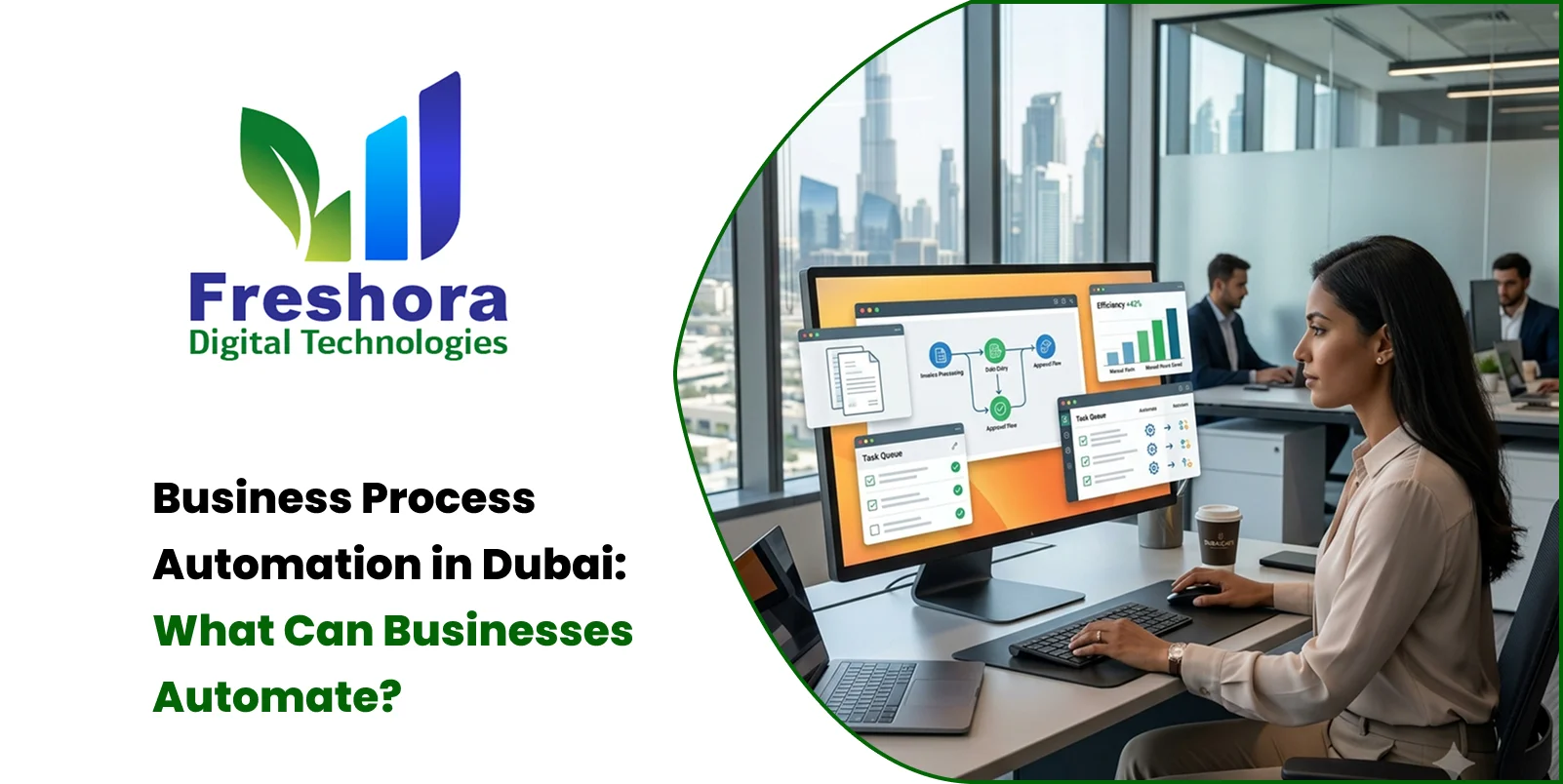
Business Process Automation in Dubai is about using software to move suitable, repeatable tasks through predefined steps with less manual intervention. The objective is not to automate everything. It is to identify processes that follow clear rules and make them more consistent, traceable and efficient while allowing employees to remain responsible for decisions that require human judgement.
Dubai's broader digital transformation initiatives place emphasis on connected digital services, integration and automation. This provides useful context for the growing importance of connected workflows across businesses operating in the UAE.
Business process automation combines business rules, software workflows and data to complete routine activities automatically.
A simple example is an enquiry workflow:
New enquiry → assign responsible employee → send acknowledgement → create follow-up task → update status → generate report
Without automation, an employee may need to perform each step manually.
Automation can execute the rule-based parts while employees continue handling decisions, exceptions and customer interactions that require judgement.
Business process automation can also connect different business systems. Depending on the available integrations, a workflow may exchange information between a website, CRM, ERP, accounting platform, inventory system, HR software, email system or other business applications.
The right processes depend on the industry, but several types of work are commonly suitable for automation.
Enquiries can arrive through websites, forms, email, messaging channels and other digital touchpoints.
A workflow can capture the enquiry, create a customer record, assign it to the correct employee and trigger a follow-up reminder.
For a Dubai business operating across multiple teams or locations, this can help create a more consistent process without requiring employees to repeatedly enter the same information.
For example:
Website enquiry → CRM record → employee assignment → acknowledgement → follow-up reminder → sales status update
Many businesses rely on approvals for purchases, quotations, expenses, documents, leave requests and internal operations.
Instead of sending requests through separate messages or spreadsheets, a workflow can route each request to the appropriate person.
For example:
Request submitted → manager review → approval/rejection → notification → record updated
This creates a visible sequence and makes it easier to identify where a request is waiting.
Invoice preparation, document routing, payment reminders and status updates can contain many repetitive steps.
Automation can connect information from an approved transaction to a finance workflow, generate notifications or update records.
For UAE businesses, financial workflows should also support the organisation's applicable VAT and accounting processes. The UAE's standard VAT rate is 5%, although the exact tax treatment of a transaction depends on the circumstances.
Automation should therefore support the established accounting process rather than independently determine tax treatment.
Businesses frequently receive quotations, forms, applications, purchase documents and other records.
A workflow can classify documents, route them to the right department, record their status and trigger reminders when an action is due.
This can be useful for businesses handling a high volume of similar documents.
For example:
Document received → classification → department assignment → review → approval → storage → status update
Automation can also be applied to internal requests such as:
Employee onboarding
Task assignment
Attendance-related notifications
Leave approvals
IT requests
Asset requests
Internal document approvals
The system follows predefined rules while employees remain responsible for exceptions and decisions.
Reporting is another area where repetitive work can accumulate.
Instead of manually collecting information from different records each week, an automated workflow can prepare scheduled reports or notify specific users when a threshold or condition is reached.
For example:
Stock level falls below threshold → create alert → notify operations team → record action
The value comes from connecting an event to the appropriate response.
The benefits depend on the process being automated and how well the workflow is designed.
Common benefits can include:
Employees spend less time repeatedly entering the same information, sending routine notifications or moving records between systems.
A predefined workflow can help ensure that standard cases follow the same sequence rather than depending entirely on individual working methods.
Workflow statuses and activity logs can help teams identify where a request, approval or task currently stands.
When rule-based actions are triggered automatically, employees may not need to wait for every intermediate step to be completed manually.
Integrations can reduce unnecessary re-entry of information between connected systems, depending on the quality of the integration.
Automated data collection and scheduled reports can reduce the amount of manual work involved in preparing recurring operational information.
Automation does not guarantee that every process will become faster or more accurate. The outcome depends on the quality of the original process, system design, data and implementation.
A process is usually a stronger candidate for automation when it is:
Repeated frequently.
The same activity happens many times.
Rule-based.
The next step can be defined clearly.
Data-driven.
The workflow depends on structured information.
Time-sensitive.
Delays create operational problems.
Prone to repetitive manual entry.
Employees repeatedly move information between forms, spreadsheets or systems.
A process that depends heavily on negotiation, creativity or unpredictable judgement may require more human involvement.
Before automating a workflow, businesses should also consider how often the process occurs, how much manual effort it requires and whether the expected operational improvement justifies the implementation effort.
Automation does not mean removing people from a process.
A useful workflow separates routine execution from decisions that need human judgement.
For example:
Automation: receive enquiry → validate details → assign enquiry
Human: assess requirement → discuss options → make decision
Automation: update record → send confirmation → create reminder
This combination can make the workflow more consistent while keeping accountability with the appropriate employee.
An exception path should also be included. If information is missing or a case does not meet the normal rules, the workflow can route it to an employee instead of continuing automatically.
Different industries can automate different processes.
A real estate business may automate enquiry assignment, viewing requests and follow-up reminders.
A retail business may automate stock alerts, order notifications and reporting.
A professional-services business may automate enquiry routing, proposal approvals and client onboarding.
A logistics business may automate status notifications, document routing and operational alerts.
A healthcare organisation may automate appointment reminders and administrative workflows, while ensuring that sensitive information is handled appropriately.
A hospitality business may automate booking notifications, customer enquiries, internal requests and operational reporting.
The process should always be designed around the organisation's actual workflow rather than around a generic automation template.
Business automation often becomes more useful when different systems can exchange information.
Depending on the available interfaces, an automated workflow may connect:
CRM systems
ERP platforms
Accounting software
Inventory systems
Websites and online forms
HR applications
Email systems
Customer portals
Payment systems
Business dashboards
Internal databases
APIs and other integration methods can allow information to move between systems without requiring employees to repeatedly copy and paste data.
For example:
Website enquiry → CRM → sales assignment → notification → follow-up task → dashboard
The exact integration approach depends on the software involved, available APIs, authentication requirements, data structure and security considerations.
Dubai and UAE businesses should consider data, access and system boundaries before automating a workflow.
If a process handles personal information, security and privacy need to be included in the design. The UAE Personal Data Protection Law establishes a framework for protecting personal data and includes requirements relating to the processing and security of personal information.
Businesses should therefore determine:
What data the workflow uses
Who can access it
Where it is stored
Which systems receive it
How long records need to be retained
What happens when automation fails
How access permissions are controlled
How important workflow activities are logged
It is also useful to keep logs for important automated actions so that teams can identify what happened and when.
For workflows involving sensitive or regulated information, businesses should consider the applicable UAE legal, regulatory and industry requirements before implementation.
One common mistake is automating a poorly defined process.
If the original workflow has unnecessary steps, inconsistent rules or unclear ownership, automation can simply make the same problem happen faster.
Another mistake is automating too many processes at once. A better approach is to start with a measurable, repetitive workflow and evaluate how it performs before expanding automation.
Businesses should also plan for exceptions. A process should have a clear route for cases that do not fit the normal rule.
Other common issues include:
Automating duplicate or unnecessary steps
Using inconsistent data between systems
Failing to define process ownership
Not testing exception scenarios
Giving excessive system access
Automating a process without measuring its outcome
Good automation starts with a clear process rather than with the software itself.
A sensible automation sequence is:
Identify → Map → Simplify → Automate → Test → Monitor → Improve
Choose a repetitive process that creates measurable manual effort, delays or unnecessary handoffs.
Document each step and determine where information enters, changes and leaves the workflow.
Remove unnecessary steps and clarify responsibilities before introducing automation.
Configure or develop the workflow based on the agreed business rules and system requirements.
Test normal cases as well as missing information, rejected requests, system failures and other exceptions.
Track workflow activity, errors, delays and outcomes after implementation.
Update the process when business requirements, systems or operational needs change.
For Dubai businesses that need connected workflows, CRM, ERP-related systems, dashboards, APIs or custom applications, automation can form one part of a broader software development approach in Dubai, where the technology is structured around actual users, data and business workflows.


Quick Answer Website Redesign Dubai projects should begin with an audit of the existing website's p... Read More
Quick Answer Mobile Web Design UAE focuses on creating websites that are easy to navigate, read, an... Read More
Quick Answer Website Design for Dubai Businesses should prioritise clear service messaging, fast mo... Read More
Our expert will call you shortly to understand your needs and help grow your business.
Get exclusive digital marketing tips, SEO insights, web & app updates, and job opportunities delivered straight to your inbox.
Join our WhatsApp channel for instant digital marketing tips, SEO insights, web & app updates, and latest job opportunities.
Join NowFreshora Digital Technologies proudly serves businesses across Dubai and the United Arab Emirates, including Abu Dhabi, Sharjah, Ajman, Umm Al Quwain, Ras Al Khaimah, and Fujairah.
We also serve businesses across the GCC region, including Saudi Arabia, Qatar, Kuwait, Bahrain, and Oman, providing Website Development, Mobile App Development, Software Development, SEO, Google Business Profile Management, Digital Marketing, UI/UX Design, E-commerce Development, AI Solutions, and other digital technology services designed to strengthen online visibility, generate enquiries, and support business growth. We also work with businesses internationally across India, Singapore, Canada, Australia, the United Kingdom, and the United States, delivering innovative digital solutions tailored to different markets and business requirements.

